FlowMaster
FlowMaster

The whole round.
One Mac app.

Flowing at speech speed, live prep with your partner, and AI that finds the winning argument.

  • Fast flow editor with format templates
  • Live collaboration, one shared round
  • Tabroom and OpenCaselist, built in

Public Forum · Lincoln-Douglas · Policy

FlowMaster dashboard, setting up a new round
PDF
Public Forum
PolicyBeta
Lincoln-DouglasBeta
Sign in to Tabroom inside FlowMaster
openCaselist
Sign in with your Tabroom account
The same login as opencaselist.com.
Credentials are kept only in your Mac's Keychain.
👤Tabroom email
🔒Password
→  Sign In
No account yet? Wiki access is free for the debate community.
Open opencaselist.com ↗
Tabroom NSDA

Tabroom, built in.

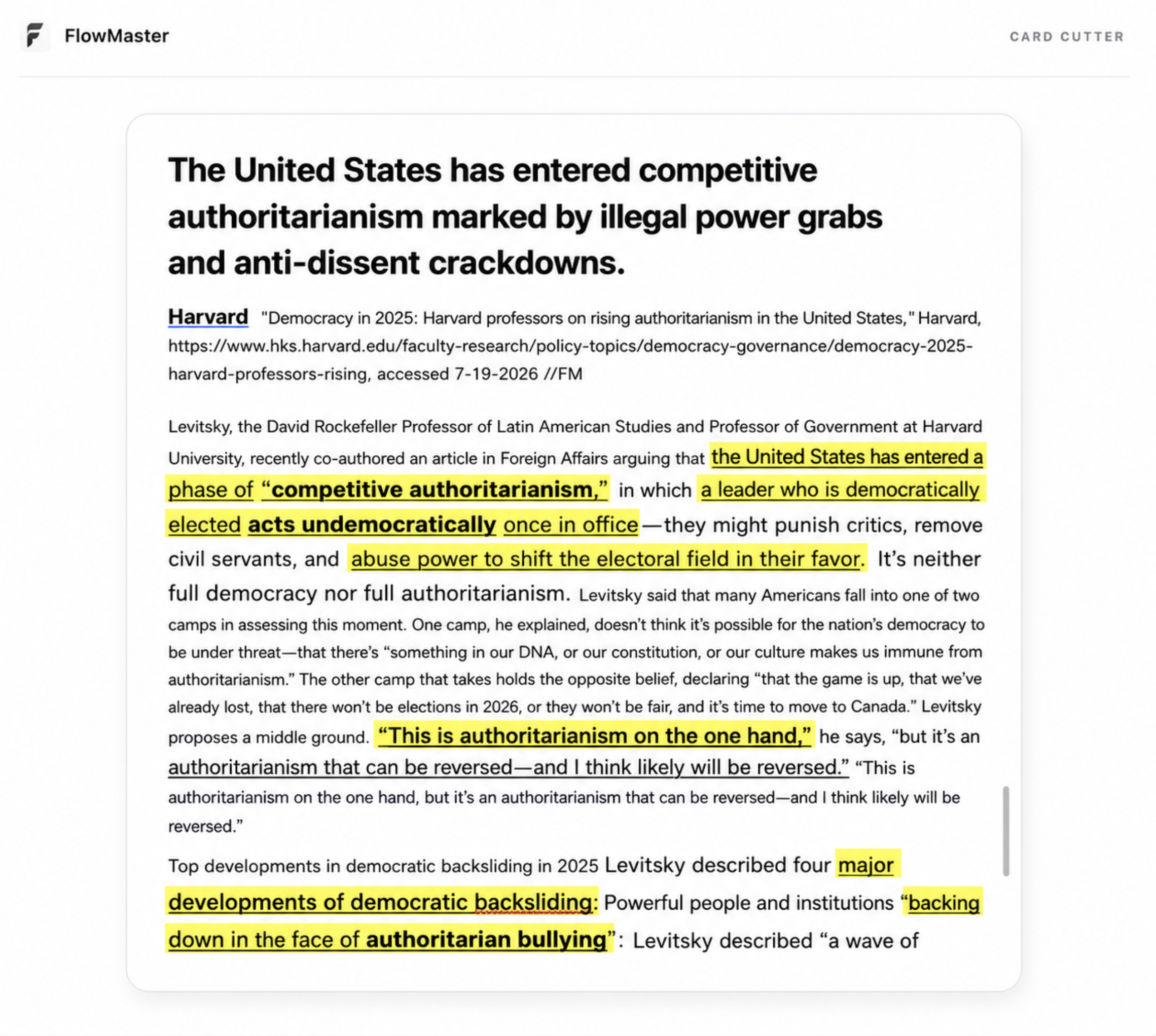
Sign in with your Tabroom account and your tournaments, live pairings, rooms, and judges land right inside FlowMaster. It's the same login you use to register, and your credentials stay in your Mac's Keychain.

openCaselist

OpenCaselist, built in.

Search the caselist, pull opponent cases and disclosures, and add them straight to your Prep Library without leaving FlowMaster.

Shareflow

Your flow notes Evidence Pack Documents Everyone in sync.

Want to share your own notes or your flows to your partner?
We provide seamless sharing capabilities to keep everyone on the same page.
No manually exports, No delays.

FlowMaster's Join a Flow dialog — pasting a private share code to join a live flow
Google Microsoft

Google Workspace & Microsoft 365

Connected to your
favorite work apps.

Whichever cloud your school runs on, your flows, cards, and cases sync straight to the tools you already use — Docs and Drive, or Word and OneDrive.

Your writing app, connected

Your evidence, straight from Google Docs.

Your evidence, straight from Microsoft Word.

Your evidence, straight from Pages.

Link a doc and its cards, cuts, and tags flow right into your round — formatted and searchable. Keep editing where you write; FlowMaster stays in sync.

A Google Doc open inside FlowMaster Microsoft Word Pages
FlowMaster AI
FlowMaster AI Beta

An AI trained for debate rebuttal & crossfire.

Introducing FlowMaster AI Beta.
Truly ready. Truly for debaters.

An AI that can automatically read your flow & evidence, and provide you the BEST rebuttal/answer

Explore what’s new with FlowMaster AI Beta.

Trained for the round

FlowMaster AI is trained on the rounds of the nation’s best debaters — sharpest in Rebuttal and Crossfire.

FlowMaster AI

What are we arguing today?

Strategy, evidence, rebuttals — ask anything about your round.

Build rebuttal blocks
Counter their strongest ground
Draft CX questions
Pressure-test their case
Find recent evidence
Sourced, with citations
Frame it for the judge
Weighing and voters

Trained for the round

  • Trained on the rounds and prep of the nation’s top competitors — not generic chat.
  • It automatically reads cases, blocks, and frontlines the way you flow them — and drafts rebuttals and crossfire questions in your format.
  • Fluent in Public Forum, Lincoln-Douglas, and Policy.

Ready & Go

FlowMaster AI is ready to use the moment you open the app. No setup, no keys, no API bills.

FlowMaster AI
FlowMaster AIBETA
Ready the moment you open the app
No API keys No setup Built into the app

Ready & Go

  • No third-party API, no keys. FlowMaster AI is ready the moment you open the app.
  • Everything is contained within the app — no need to install anything else.
  • Fluent in Public Forum, Lincoln-Douglas, and Policy.

Evidence search

Search, pull, and verify evidence in seconds — made for the Evidence Check.

CBO — The Effects on Employment of Raising the Minimum Wage
cbo.gov✓ Source verified

Evidence search

  • Pulls cards with live, linked sources you can open and cite.
  • Flags mis-cut, clipped, or altered evidence during an Evidence Check.
  • One click drops a card straight into your flow.

In-round copilot

AI is now inside
your cases.

FlowMaster AI sits right beside your flow. Select any cell for context, then build responses, write cross-ex, or fact-check a claim — all without leaving the round.

  • Turn the arguments you flow into structured responses
  • Draft cross-ex questions that pressure weak warrants
  • Fact-check any claim against credible, cited sources
FlowMaster AI copilot docked beside a Public Forum flow

How it compares

Your flow, side by side.

Paper is honest, spreadsheets are free, web tools are handy. FlowMaster is the only one built for the whole round.

Capability
FlowMaster
Paper
Sheets / Docs
Web flow apps
Debate-format templates — PF, LD, Policy + custom
manual
partial
Works offline, syncs when you're back
partial
Live partner collaboration — cursors, comments, roles
partial
Speech & prep timers built in
partial
AI responses, CX questions, fact-check, round analysis
Tabroom pairings & judges inside the app
OpenCaselist & Open Ev search, one-click downloads
Prep library beside your flow — Docs, Word, PDF
partial
Native macOS app — fast, keyboard-first
n/a
Free to start
varies

Comparisons describe categories of tools, not any specific product.

Pricing

Free to flow. Pro to win.

Solo flowing is free forever. Pro unlocks the AI, prep, and tournament tools — and whole squads get one license, with a personal access key for every student.

Free

For individuals getting started with solo flowing, at no cost.


$0/forever

No trial timer. No credit card.

Download free

Free includes:

  • Unlimited solo flows, timers & custom templates
  • Offline-first — everything saves locally, syncs later
  • Share up to 3 flows, 2 people each
  • 3 Prep Library documents
  • A daily taste of FlowMaster AI
  • No Tabroom or OpenCaselist access

Pro

For competitors who want every edge in the round.


$4.99/mo

or $39.99 per year — save 33%

Start your free trial

7-day free trial, then $4.99/mo. Billed securely through the Mac App Store.


Everything in Free, and:

  • Full AI power — fact-checks, responses, CX, round analysis
  • Unlimited shared flows & collaborators
  • Unlimited Prep Library documents
  • Tabroom live round tracking
  • OpenCaselist browser & one-click downloads

Team

For whole programs and coaches, on one seat-based license.


Let's talk

seat-based · per season

Contact us

Tell us your program size — we reply within a day.


Everything in Pro, and:
  • 10, 25, or 60-seat licenses
  • Coach roster + one-time access keys per student
  • Invoiced directly — school POs welcome
  • Priority support on tournament weekends

Flow like you think.
Together.

Download for macOS

Free on the Mac App Store · macOS 14.6 or later